

Your old office chair may still have some life left in it. The problem could be its height, seat depth, back support, or even the way your desk is set up. Before you replace it, try these simple adjustments to make your chair more comfortable.
Start With Your Chair Height And Seat
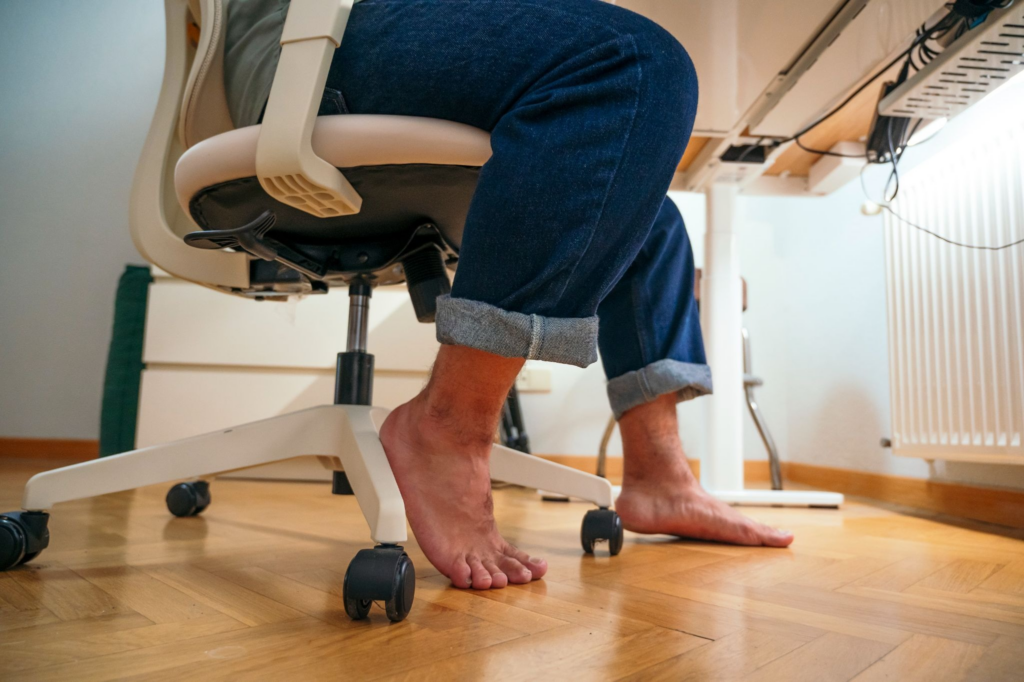
Chair height can affect how your feet, knees, and arms line up with your desk.
If your chair is too high, your feet may struggle to rest firmly on the floor. If it’s too low, your knees may sit too high and make it harder to position your arms comfortably.
Adjust your chair so that:
- Your feet rest flat on the floor
- Your knees are level with your hips or slightly below
- You can sit back comfortably against the backrest
- Your arms can reach your keyboard and mouse without excessive reaching
- The front edge of the seat doesn’t press into the back of your knees
Your seat depth matters too. A seat that’s too long can put pressure behind your knees, while a seat that’s too short may leave part of your thighs unsupported.
If your chair has an adjustable seat depth, move it until your thighs feel supported without the front edge pressing against your legs.
If your feet don’t reach the floor at a suitable chair height, a stable footrest can help. This lets you keep your chair at a comfortable height without leaving your feet unsupported.
Add Support Where Your Chair Has Lost It
Older office chairs can lose some of their original cushioning and support. You don’t necessarily need to replace the entire chair if the main issue is a firm or flattened seat.
A seat cushion can add another layer of padding and may slightly raise your sitting height. This can make a worn seat more comfortable.
However, avoid adding too much height. A thick cushion can change your sitting position and leave your feet unsupported or your arms too high in relation to your desk.
The same applies to your lower back.
If your chair doesn’t provide enough lumbar support, try a removable lumbar cushion. A rolled towel can also provide temporary support while you decide whether the chair itself is still suitable.
Place the support around the natural curve of your lower back. If it feels uncomfortable, adjust its position rather than simply adding more padding.
These modifications can improve a chair that is still structurally sound. They won’t fix a seat that’s the wrong size for you or a chair with serious damage.
Make Better Use Of Your Chair’s Adjustments
Before adding accessories, check what your chair can already do.
Look underneath the seat and around the backrest for adjustment levers, knobs, or controls. Depending on the model, you may be able to change the seat height, backrest position, recline tension, or seat tilt.
Start with the backrest. Sit back in the chair and adjust it so your lower back feels supported.
If your chair reclines, try different positions rather than keeping it locked upright. Being able to change your position can make long periods at your desk more comfortable.
Don’t overlook the armrests either.
Armrests that are too high can cause you to raise your shoulders. Ones that are too low may encourage you to lean to one side. If they’re adjustable, set them so your shoulders remain relaxed and your forearms can rest comfortably.
If fixed armrests prevent you from sitting close enough to your desk, you may be better off leaving them unused.

Check Your Desk Before Blaming Your Chair
Your chair doesn’t work in isolation. Your desk, keyboard, mouse, and monitor all affect how you sit.
For example, raising your chair may give your legs a better position but leave your keyboard too high. You could then find yourself lifting your shoulders or reaching forward while typing.
After adjusting your chair, check the rest of your workstation.
Keep Your Keyboard Within Easy Reach
Your keyboard and mouse should be close enough that you don’t have to reach forward constantly.
Your elbows should stay close to your body while your shoulders remain relaxed. If your desk is too high for this position, adjusting your chair repeatedly won’t solve the problem.
You may need to reposition your keyboard or reconsider whether your desk height works for you.
Bring Your Monitor To A Comfortable Height
Your monitor should be positioned so you can view the screen without constantly bending your head down or tilting your neck upwards.
This can be harder when you’re working from a laptop. A laptop stand with a separate keyboard and mouse can raise the screen without forcing your hands and arms into an awkward position.
The goal is to create a workstation where your chair, desk, and equipment complement one another.
Read more — 13 Benefits on Why Standing Desks Are Better
Check Whether Your Chair Needs Maintenance
Before deciding that your chair is beyond saving, give it a quick inspection.
Look for:
- A seat cushion that has become noticeably compressed
- A loose or unstable backrest
- Height adjustment that no longer works properly
- Loose armrests
- Casters that don’t move properly
- Damage to the chair’s base
- Loose screws, bolts, or other mechanisms
If a component is damaged, check whether it can be repaired or replaced.
A worn but structurally sound chair may still have plenty of use left in it. A chair with damaged or unstable components is a different matter.
No amount of cushioning can compensate for a chair that no longer functions properly.
Change Your Position Throughout The Day
Even a comfortable office chair isn’t a reason to stay in exactly the same position for hours.
Stand up between tasks, walk around during a phone call, stretch, or take a short break from your desk when you can.
You can also make small changes while sitting. Recline for a while or shift your position when you start to feel stiff.
Rather than trying to find one position that feels comfortable all day, give yourself opportunities to move throughout your working day.
Know When Your Old Chair Has Reached Its Limit
There comes a point where adjustments and accessories can’t solve the underlying problem.
Consider replacing your chair if:
- The seat no longer provides enough support
- The backrest doesn’t support your lower back
- The seat depth doesn’t suit you
- The chair has damaged or unstable components
- The available adjustments can’t give you a comfortable working position
- You’ve tried adjusting your chair and workstation but still struggle to get comfortable
A suitable ergonomic office chair should give you enough adjustment to accommodate your body and working position. Features such as adjustable seat height, suitable seat depth, lumbar support, and an adjustable backrest can make it easier to find a comfortable setup.
If your current chair lacks these features, continually adding cushions and accessories may only delay the need for a replacement.
A Better Chair Could Be The Missing Piece
Knowing how to make your old office chair more comfortable can help you get more use from it without immediately buying a replacement.
Start with the basics. Adjust the chair height and seat depth, improve your back support, check the armrests, and make sure your desk and monitor are positioned properly.
If you’ve tried these changes and still can’t get comfortable, your chair may simply no longer be a good fit. At that point, replacing it with an ergonomic office chair with the right adjustments and support may be a better long-term option.
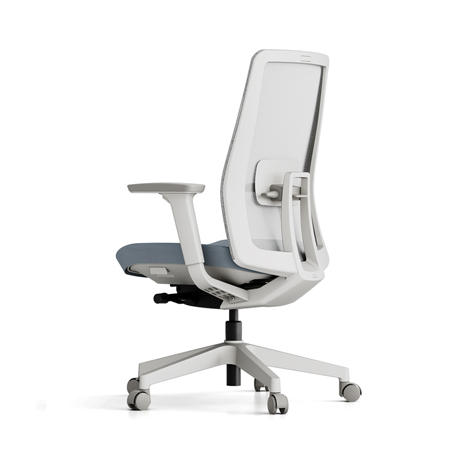
DSolutions offers a range of ergonomic office chairs for different workspaces, including options such as the Humanscale Diffrient Smart Task Chair and Itoki Act High-back Office Chair.
Browse our ergonomic office chairs to find a seating option that suits your workspace or contact us for guidance.